

Enhanced xAPI Profile Support in Veracity Learning
xAPI's flexibility is one of its greatest strengths. It lets different tools describe a wide range of learning experiences without forcing every implementation into the same rigid format.
That flexibility can also make consistency difficult. Two applications can send structurally valid xAPI statements for the same kind of learning event while using different verbs, activity types, properties, or statement structures. The difference may not be obvious until someone tries to combine the data in a dashboard or compare results across systems.
Veracity Learning 1.17 introduces additional support for generating sample datasets based on existing or newly defined xAPI Profiles in the Veracity Learning Record Store (LRS). This update also improves validation, allowing you to load xAPI Profiles into your LRS, see which incoming statements match their Statement Templates, and explore profile-specific data formats in a dashboard. This enhanced xAPI Profile support gives you a practical way to define, inspect, and improve the consistency of the xAPI data your organization collects.
What Is an xAPI Profile?
An xAPI Profile is a human- and machine-readable set of rules for a particular xAPI use case. An xAPI Profile can define the concepts, verbs, activity types, extensions, Statement Templates, and patterns that should be used to represent an experience.
Basic xAPI validation answers, "Is this a valid xAPI statement?" Profile conformance goes a step further and asks, "Does this statement contain the fields and values the Profile specifies for this type of event?"
Data can be valid xAPI and still be inconsistent with the way your organization expects a completed course, assessment attempt, question response, simulation event, or other experience to be recorded or represented. This is why xAPI Profiles are important. They provide a common set of rules focused on semantic interoperability so learning systems and content align and produce consistent data.
Load an Existing Profile or Create Your Own
In Veracity Learning 1.17, you can load one or more Profiles into an LRS from the new xAPI Profiles management screen.
You can:
- Search and load an existing Profile. These are preloaded from the 49 ADL-approved Profiles available through the xAPI Profile Viewer (thanks to Torrance Learning).
- Create and upload your own Profile definition in JSON-LD for an organization-specific implementation.
- Edit a loaded Profile and generate matching sample statements for testing.
- Evaluate incoming statements against the Profiles and Statement Templates loaded in the LRS.
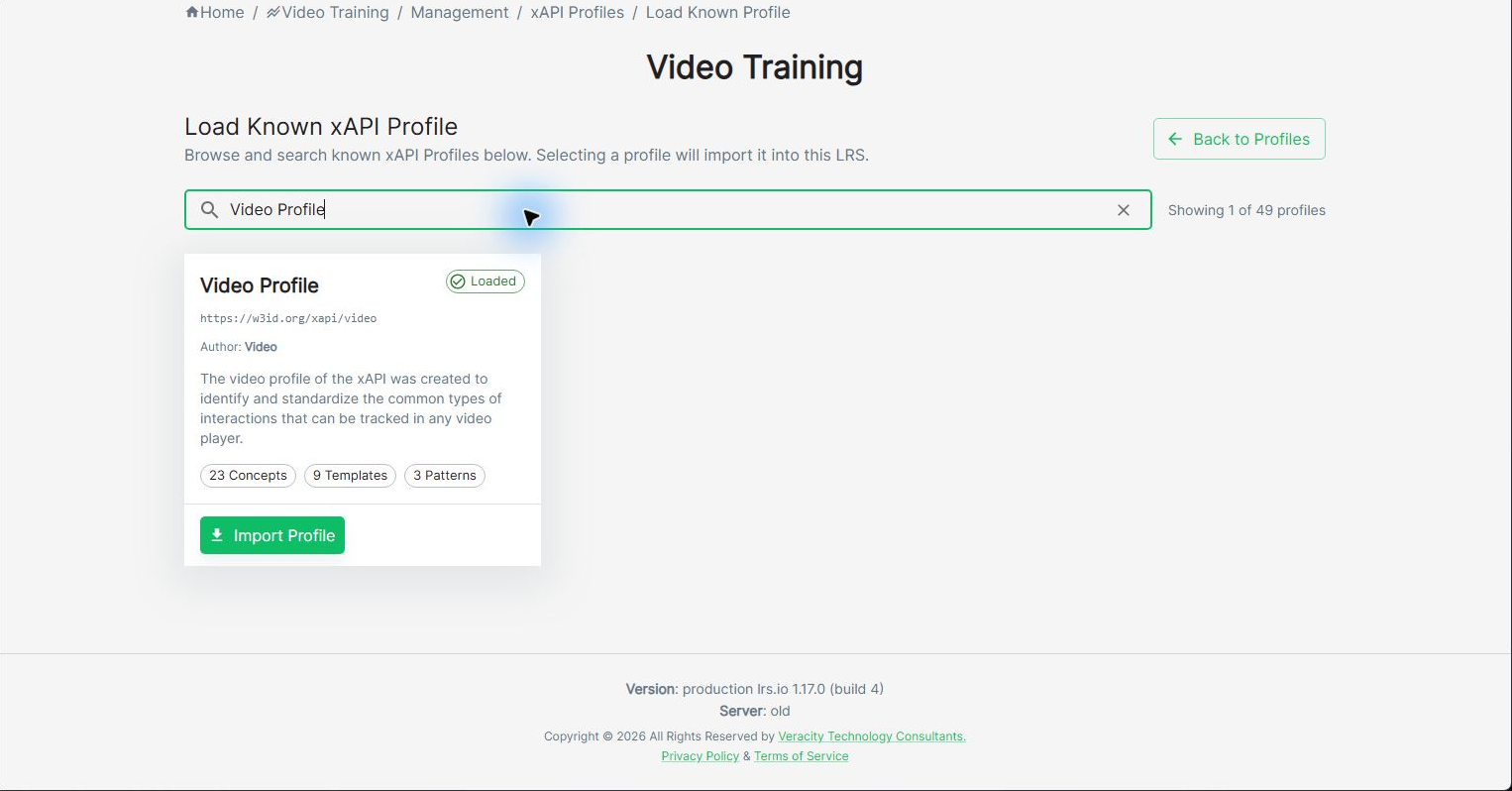 Browse the known-Profile catalog and import the Profiles your LRS needs.
If your team uses a custom vocabulary, has coined its own verbs, or needs rules tailored to an internal product, you can add that Profile directly in the LRS rather than waiting for it to appear in a public registry.
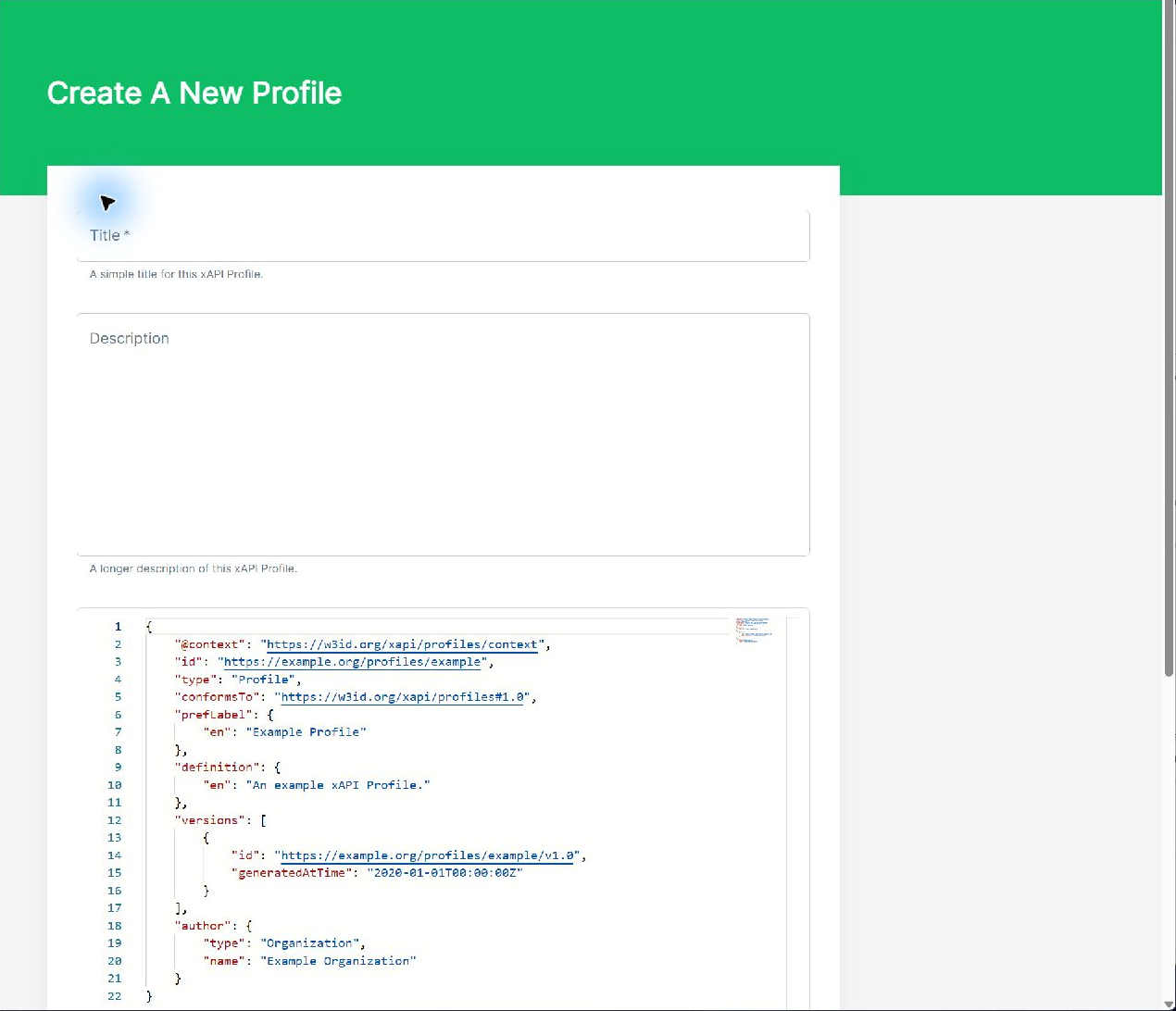 Create and add your own JSON-LD Profile definition.
When an incoming statement matches a loaded Profile, Veracity records the matching Profile and Statement Template identifiers in LRS metadata. That metadata can then support filtering, saved scripts, forwarding rules, and other downstream workflows.
What does this mean? Loading a Profile does not rewrite a statement or automatically repair a nonconforming implementation. It makes conformance more visible and measurable so your team can find gaps in your statements and correct them at the source.
Inspect Profile Traffic and Statement Conformance
The new Profile Overview dashboard gives you a focused view of the data matching a selected Profile. Choose the Profile and time range you want to inspect, and the dashboard shows:
- Total Profile traffic over time.
- Traffic broken down by Statement Template.
- Ratios for templates and other Profile concepts.
- A raw statement viewer containing statements that match the loaded Profile.
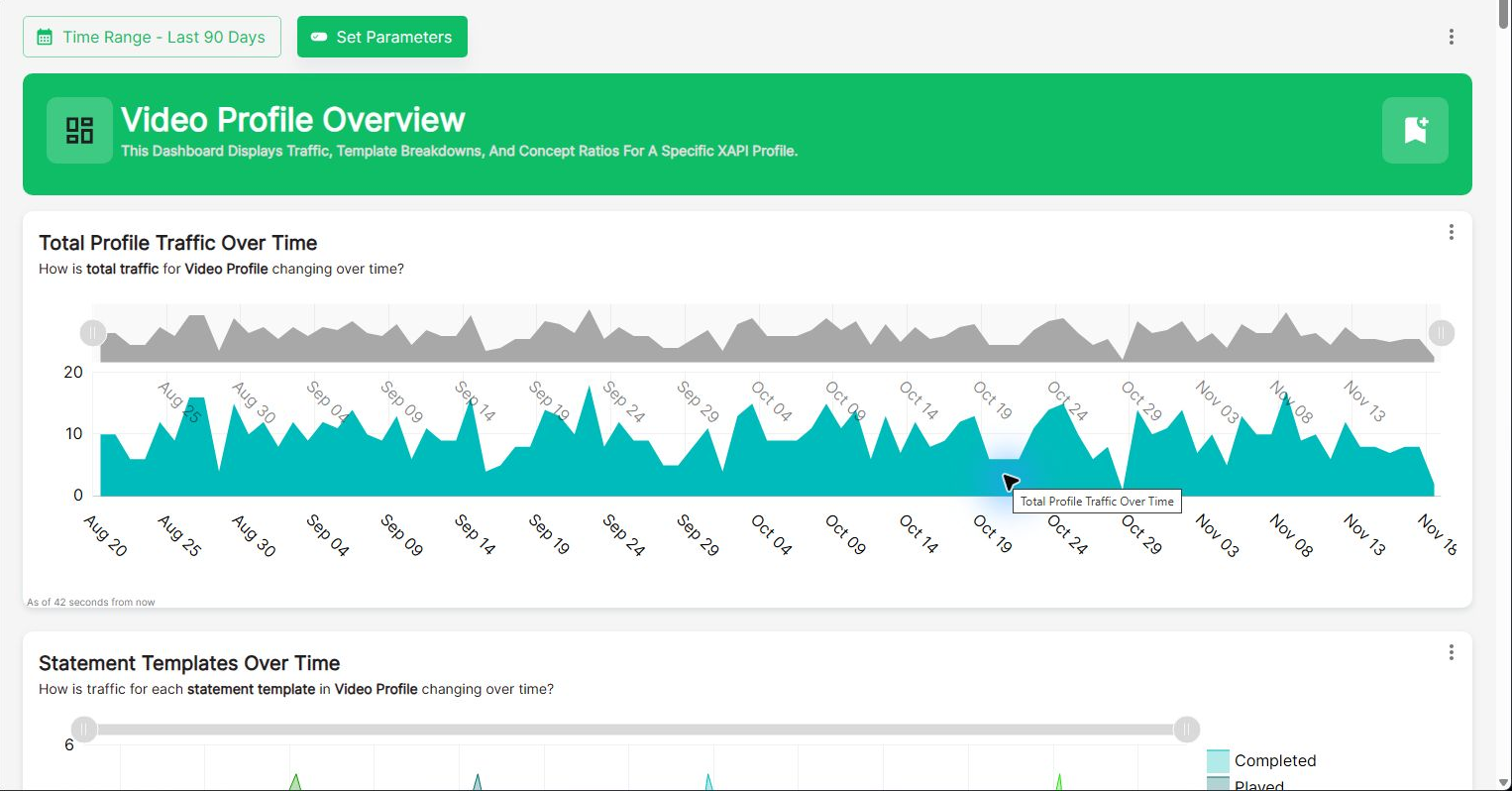 Use Profile Overview to monitor traffic and compare the Statement Templates represented in your data.
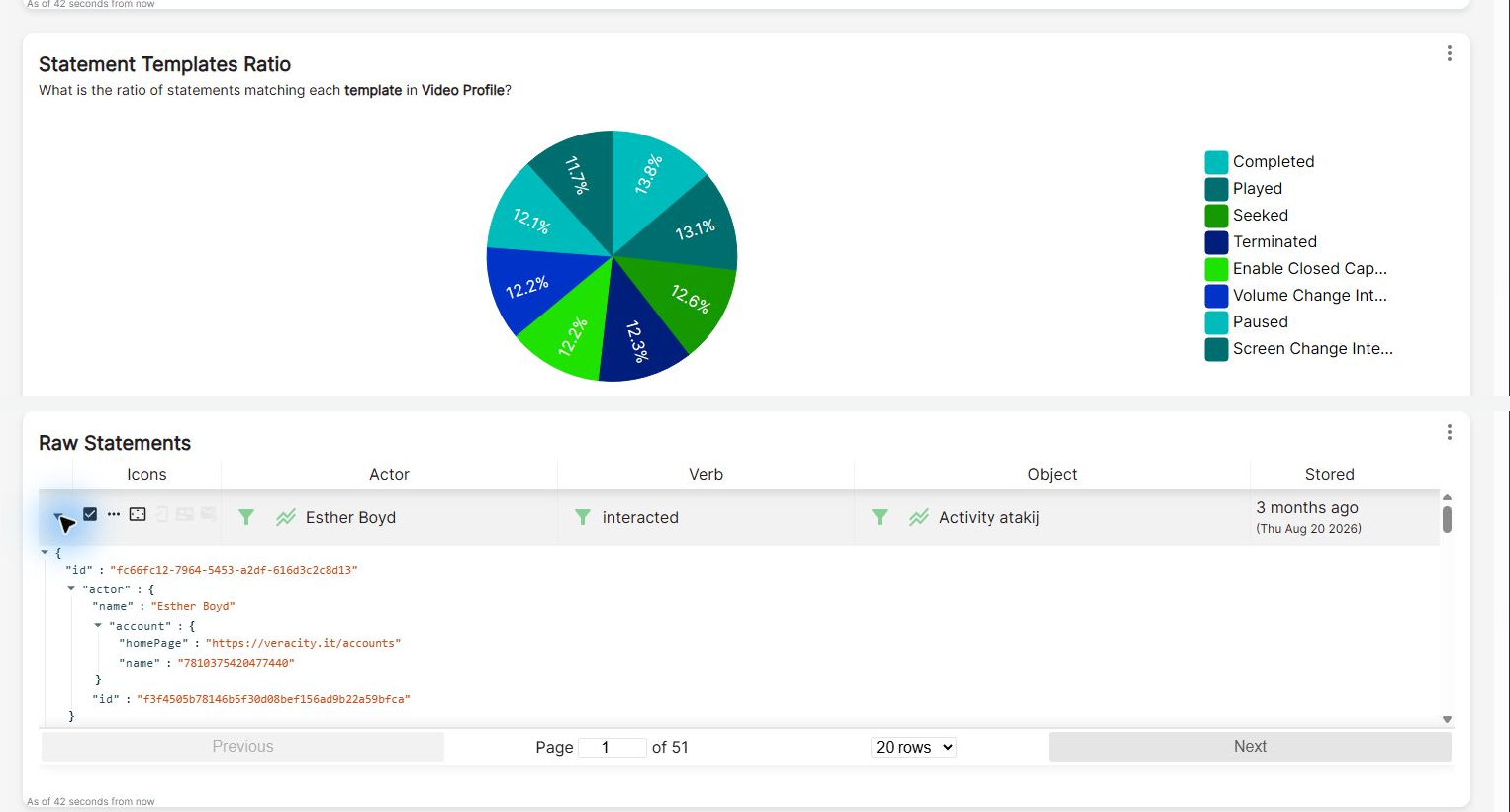 Inspect template ratios and the individual statements associated with the selected Profile.
Load an xAPI Profile and inspect statement conformance in Veracity Learning.
What This Means for Learning and Development Teams
For organizations with multiple development teams, contractors, authoring tools, or integration partners, a written strategy is not always enough. Small differences in implementation can accumulate quickly: one team uses a different verb, another omits a required value, and a third assigns a different activity type to the same event.
Profiles give everyone one measurable target.
A data scientist, product owner, or learning experience designer or instructional systems designer can help define the Profile the organization requires. Developers can build and test against it. QA teams can inspect real traffic in the LRS. Analytics teams can verify that the data feeding their reports uses the expected vocabulary and Statement Templates.
This shared understanding helps organizations:
- Improve data literacy and identify vocabulary mismatches or missing properties earlier in development.
- Hold internal teams and vendors accountable to the same data requirements.
- Reduce manual JSON review during testing and acceptance.
- Build dashboards and integrations on more predictable data.
- Separate and route data known to match a particular Profile.
Keep in mind that Profile conformance is not a substitute for thoughtful learning design or xAPI Statement best practices.
Ready to Try It?
xAPI Profile support is available in Veracity Learning 1.17. Once your environment is running 1.17, open Management → All Management Tools → Data and Analytics → xAPI Profiles to load your first Profile.
For step-by-step instructions, see the xAPI Profiles guide.
If you are planning an xAPI implementation and want help with Profiles, contact Veracity.